
MOPSC
Network Operations Center Agent Team
A network operations center staffed by AI agents, on watch 24/7.
MOPSC is a self-contained Network Operations Center staffed by AI agents. A lead agent and ten specialist stations watch your cloud around the clock, from availability and security to cost, changes and backups. They set one clear alert condition, call your people on Slack, Teams, email or text only when something actually needs them, and can act as an autonomous cyber defender if you choose.
Your whole environment, on one screen.
Every agent has a station and a live screen. The lead agent sets the alert condition beside the main display, and any officer will turn and give you their report.
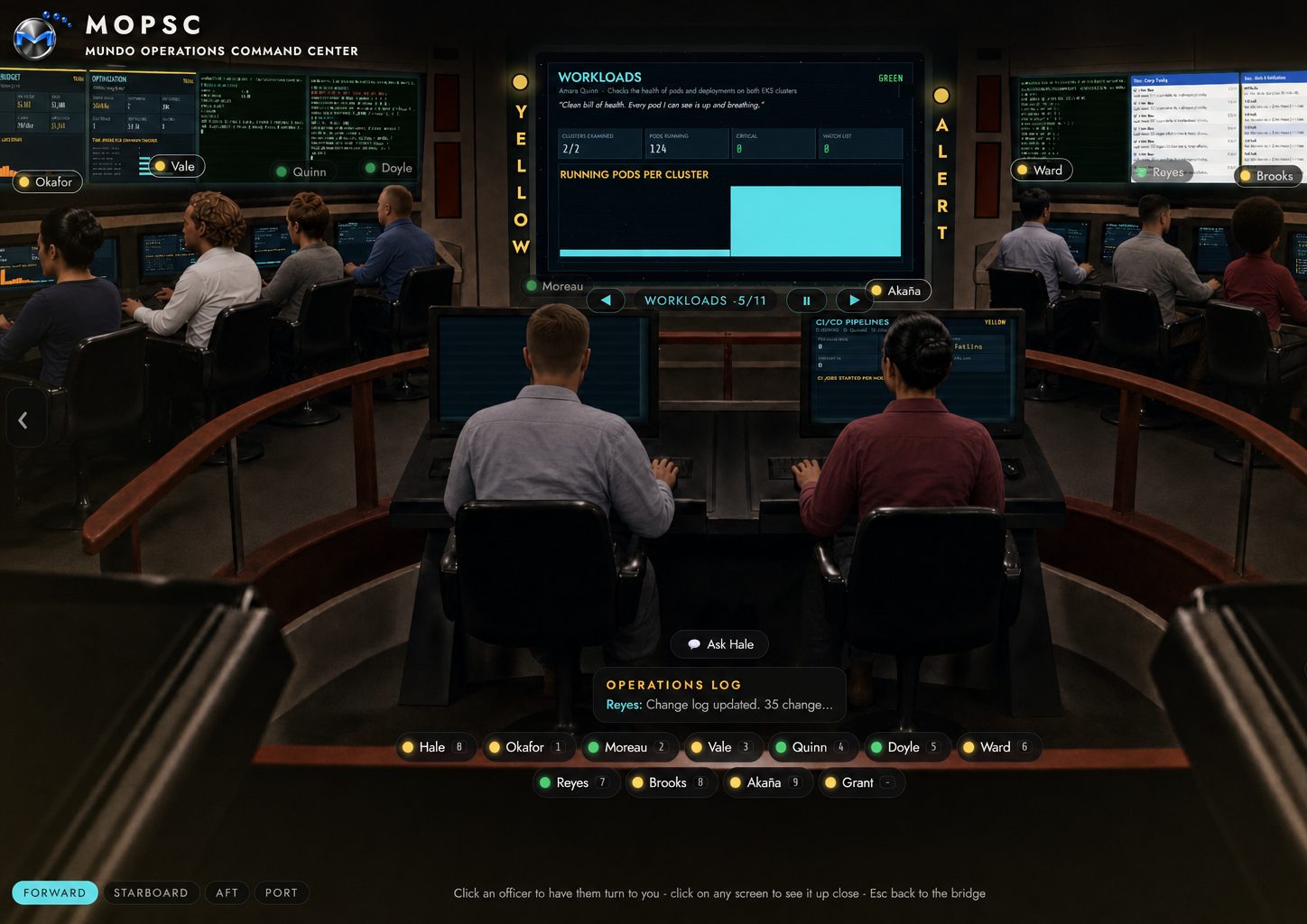
Eleven AI agents, one operations floor.
Each station is a specialist that checks its area on its own schedule, from every minute to every half hour. The lead agent pulls it all together.
Lead agent
Merges every station's report, sets the condition (green, yellow or red), ranks what to fix first and keeps the operations log.
Availability
Clusters, nodes, instance health checks, load balancer targets and databases, checked every minute.
Workloads
Crashing, stuck, failing or degraded containers and deployments, checked every minute.
Security
Threat detection on every change in every region: root use, privilege escalation, credential takeover, data exposure, crypto-mining and probing. Plus open security groups, MFA gaps and old access keys. Can respond automatically when you enable it.
Show the other 7 stations
Change tracking
Who changed what and when, with after-hours and sensitive changes and every new user called out.
Cost
Budget, forecast, daily spend and sudden spikes by service, so there are no surprises on the bill.
Optimization
Idle instances, unattached volumes, unused IP addresses, old snapshots and Spot coverage.
Capacity
Node group guardrails, fleet mix, scaling and Spot failures.
Communications
Cloud alarms, provider health events and budget alerts, all in one place.
CI/CD and GitOps
Pipeline runners, queued and stuck jobs, image pushes and GitOps sync health.
Backup
Database backup retention, restore points, database dumps and volume snapshots.
Watch. Triage. Alert. Report.
Watch
Every station polls its part of your environment, around the clock, with least-privilege access.
Triage
The lead agent compares each report with the last one. The worst station sets the condition, and the top issues become ranked orders.
Alert
Red conditions that hold for five minutes reach your team in Slack, Microsoft Teams, email or text message. Critical security incidents go out immediately. One click acknowledges them.
Report
A live command-center display, scheduled operations log reports, and a lead agent you can question by voice or text.
Fewer false alarms. No surprises.
Red means something is actually down or under attack. Planned deployments show as "Deploying," not as outages.
- Human in the loop. By default MOPSC reports and recommends, and your people decide.
- Autonomous cyber defender, on request. If you want it, MOPSC can act on its own to contain threats the moment they are detected, within the limits you set.
- Alerts where you work. Slack, Microsoft Teams, email or text message.
- Runs in your account. A container that deploys in your own cloud account, behind your single sign-on.
- Your choice of AI. Runs with US-built models, fully offline local models, or with no AI at all, reading station reports aloud.
- Low cost to run. No GPUs required.
- Supported by Mundo. We deploy it, tune its thresholds to your environment and keep it current.
MOPSC at a glance.
Runs as a container in your own account and reports to your people where they already work.
| Team | A lead agent and 10 specialist stations |
|---|---|
| Check intervals | Every 1 to 30 minutes by station; the lead agent runs continuously |
| Alerts | Slack, Microsoft Teams, email or text message |
| Operating mode | Human in the loop by default; autonomous cyber defender on request |
| Deploys in | Your own cloud account, behind your single sign-on |
| AI options | US-built models, fully offline local models, or no AI at all |
| Hardware | No GPUs required |
| Support | Deployment, threshold tuning and a Tier 0–4 service desk |
Put MOPSC on watch.
See your own environment on the MOPSC command center.